
October 17, 2025: This issue is heavy on computing topics. I document the steps I took to recover my home server. A new Meshtastic device and an old MacBook Air laptop are also discussed.
Welcome to Random Wire issue 153. This issue is light on radio and heavy on computing topics. Part of the reason for that is I’ve been spending a lot of time this week in hospital rooms where amateur radio is not a very welcome activity. That’s okay, since I had several computer-related tasks on my to-do list.
Be sure to see the next item about the AllScan URI101 interface with a DigiPi device. KM6LYW pairs these for APRS packet operations.
Short Stack
Several ways to use the URI101 interface
KM6LYW Radio has a great YouTube video that demonstrates using the AllScan URI101 interface. This is fascinating, something I’ve got to try.
The video’s description reads:
Gone are the days of twisting wires and discrete components together to get data modes going on our amateur radios. Let’s checkout the AllScan URI101 USB Radio Interface adapter and get our amateur radio online with data modes! It’s not just an awesome case with LED’s, it literally adding a USB port to your rig. Different models are available depending on your preferred cabling/rig, including K1, DIN6 and even just a bare wire. We’ll do some quick APRS packet operations with DigiPi and even send an SMS message to our phone.
DigiPi describes the DigiPi product on their home page:
DigiPi is an easy-to-use amateur radio data transceiver hotspot for Raspberry Pi. All radio data modes are easily accessible over wifi via your phone or web browser. Make FT8, JS8Call, APRS and packet modes work like any other mobile phone app. Hookup a DigiPi to your rig and instantly have access to radio SMS, EMail, and texting. Ultra-light, low-power makes it indispensable for Summit and Park operations.
This is a pretty interesting approach to digitally flavored amateur radio.
Updates available for CS7000 M17 radios
Connect Systems just announced the availability of updates for CS7000 radios:
Open RTX has a new release called V0.4.2. In my opinion, the voice sounds slightly better with the CS7000 M17 GPS and CS7000 M17 PLUS. I have not tested it on the CS7000 M17. Please look at the GitHub site for complete details of the changes. We also released a new CPS and firmware for the CS7000 M17 GPS and CS7000 M17 PLUS. These new versions will not do anything significant at this time but will be important with some new firmware I hope to release in the next few weeks.
Zorin OS 18 released
Zorin OS 18 was just released and I have to say it looks beautiful. The screenshot from the Zorin OS website looks about as close to Windows as you might wish to get, but with a solid Linux engine running under the hood.
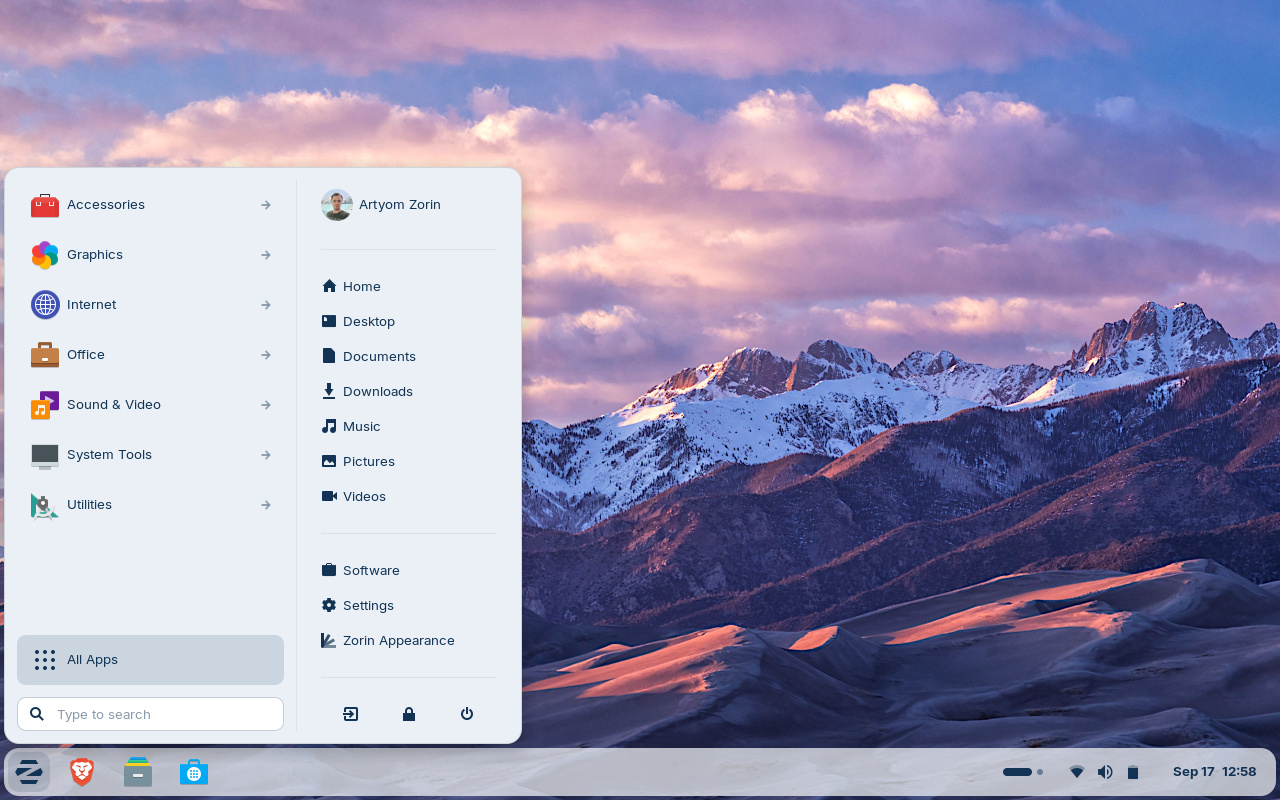
Zorin seems like a very likely choice if you’re moving away from Windows 10 to Linux. In fact, I just bought a 2014 Mac Mini with an i5 CPU and 16 Gb of RAM. Maybe I’ll install Linux Mint Debian Edition (LMDE) or Zorin and use it as a daily driver.
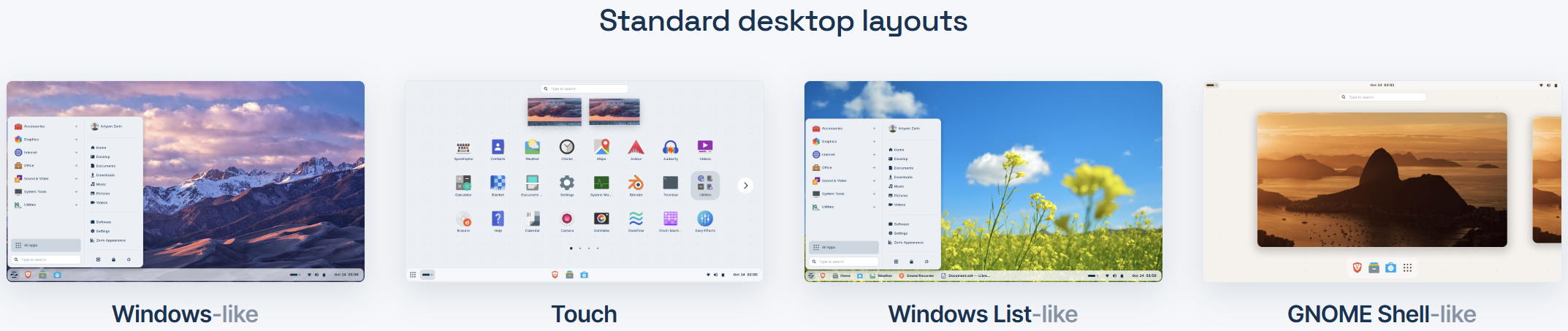
The free version of Zorin has some attractive desktops:
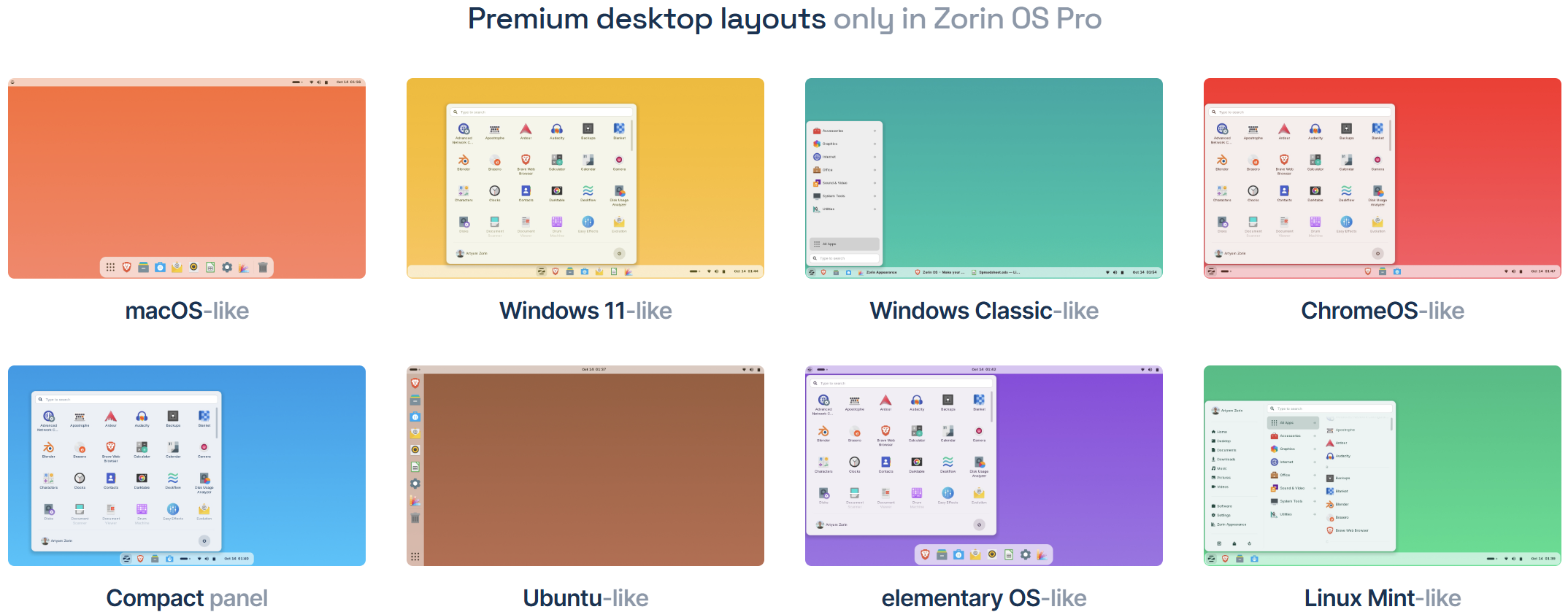
The Pro version costs $47.99 (one-time purchase) and includes several other layouts:
For those with some Irish background, you’ll love this aspect of Zorin:
Made with ☘️ in Ireland.
It is now possible to upgrade LMDE 6 to version 7
If you are running Linux Mint Debian Edition version 6, now you can upgrade to version 7 “Gigi.” Directions are at https://blog.linuxmint.com/?p=4923.
Linux Mint “Cinnamon” is recommended by a writer at XDA for those wanting to move from Windows 10 to Linux. I’m a big fan of Debian Linux, so for me, the Linux Mint Debian Edition might be a great fit.
Want an RPi 5 with NVME and active cooling?
DigiKey has a great “how to” guide to assembling a Raspberry Pi 5 machine with an NVME base and active cooling. This is built in a Pimorini NVME base case, an all-aluminum design that accommodates a single or double NVME base plate, the RPi 5, and an active cooler. That’s a good-looking package and pretty affordable, too.
CC1200 boards by PCBWay
I found a good review of the CC1200 boards for M17 at: https://hagensieker.com/2025/09/08/pcbway-printed-circuit-board-prototype-review/
I’m looking forward to receiving my batch of five! PCBWay reports the PCB boards are 100% complete and assembly is about 10% complete.
Build your own submarine
Well, it’s a remote-controlled submarine with a first-person-view camera, controlled by wifi, but it is nevertheless a pretty cool project.
The story of the transistor
I always like learning new things, including the history of things that now seem commonplace and ordinary. The story of the transistor is a great read.
A ham-adjacent portable radio repeater
Although ham radio offers a wide array of bands to transmit on, not to mention plenty of modes to communicate with, not everyone wants or needs to use all of this capability. For those needing simple two-way communication services like FRS or GMRS are available (in North America) with much less stringent licensing requirements, and GMRS even allows repeaters to be used to extend their range beyond the typical mile or so. [Dave] aka [N8DAV] has built an off-grid simplex repeater that can travel around with him wherever he goes.
Looking for cloud storage?
I ran across this big table that compares various aspects of cloud storage providers. The table has some pre-built side-by-side comparison links to help you along. To explore other services and things that have been added to comparison tables, visit the comparisontabl.es home page. For example, there is a comparison table built for Kindle e-readers, and the list is surprisingly much longer than I expected!
An odd but useful product
Extension cords are helpful, but what do you do about that awkwardly placed outlet behind the couch or desk? This thing might be just what you needed to more easily use that outlet.

Grandstream wifi phone in service
We have really poor cell coverage at the Lake House. The landline was disconnected a few years ago when usage of the Lake House became occasional, but now I need better connectivity in case of an emergency. My Samsung phone—for whatever reason—doesn’t do wifi calling at all well. Sometimes it’s great and sometimes it is so bad I can’t even make a call. My solution (still testing) is a Grandstream wifi phone (Grandstream WP816 Compact Portable Wi-Fi Phone, affiliate link). This is the low-end model ($68.33) that will handle two lines.
VoIP Supply published a review of the WP816 and the WP826:
One thing to notice is the size difference. While the WP816 offers a 1.77-inch color LCD display, the WP826 gives you a bigger option with a 2.4-inch color LCD display. Aside from the difference in screen size, you will also notice a difference in talk time, SIP lines, standby time, and soft keys. So depending on what you need, Grandstream has covered all bases with both of these models. For some who do not need every bell and whistle, the entry-level WP816 has just enough functions to hold its own.
The WP816 I bought might have been a restock because the phone’s password had been changed. I reset it back to the factory password and was then able to log into the phone and configure it through a simple HTML page.
The information provided by voip.ms didn’t exactly match the phone model I purchased, but it was close enough to guide me through provisioning and configuration.
I provisioned a new number on my voip.ms account (affiliate link) and configured the number and the account, then tested the phone. It successfully registered with voip.ms, and worked when I tested incoming and outgoing calls. I made sure to also configure the E911 settings so if we need to make a 911 call, the Lake House address should get transmitted to EMS / Fire / Police.
So far, so good. It makes calls. It takes calls. The sound quality is pretty good and the lag/latency seems quite low (i.e., better than when I try to use my cell phone for wifi calling). Fingers crossed that this proves to be a good solution. I know this depends on internet connectivity and the home network being “up,” but the reality is that internet and networking at the Lake House have been very reliable over the past several years.
UPDATE: It also worked very well for the one 911 call two 911 calls I had to make this week. Voip.ms sends me an email whenever 911 is called from the phone and it shows the E911 information on file. The sound quality was great and the call calls connected quickly. Win. I’m pretty pleased with the Grandstream wifi phone.
Recovering my ThinkStation server from a failed boot drive
Step one: physically retrieve the server
My home server, a Lenovo ThinkStation P510, stopped responding a few months ago when I tried accessing it remotely. With my spouse’s medical situation, I’ve been 150 to 200 miles distant from the server and only rarely made brief “in person” visits to my home computer lab. Last week, I made a quick day trip to Oregon to take care of some errands, and while there, I unplugged the server and brought it north to the Lake House.
(I call it a server because that’s how I use it, but it’s really just a big old computer with a big SSD for storage.)
Requires DisplayPort
I have a spare monitor at the lake, but I forgot the ThinkStation has a DisplayPort interface. My monitor takes a mini-HDMI plug. I ordered a DisplayPort-to-HDMI adapter so I can try to log into the server locally and see what’s going on…or not going on, as the case may be! My plan is to log into the machine locally, without it connected to the network, just in case the problem is a system compromise.
When I plugged it in, I was on the floor with my head angled around the back of the server, right where the fan discharges air. The fan spins up quickly when the computer is plugged in, then settles down to a more sedate pace. I got a big faceful of dust, so clearly, I have some cleaning to do.
Uh oh, no operating system found
Once I got a monitor connected, I could see that the computer was looking for an operating system drive and not finding it. At first, it tried to boot from a PXE server. When I looked at the startup sequence in the BIOS, the PXE server option was about halfway down the list. This means the computer isn’t finding the boot drive. The drive could be corrupted, or it could be a loose connection.
I booted back into the BIOS and ran some hardware diagnostics. The CPU passed. Memory also passed. PCIe, motherboard, and storage passed. That all looks good, except the storage drive tested was the big data drive, not the boot drive.
System specifications
This is a Lenovo ThinkStation P510, BIOS from 2017, running an Intel Zeon E5-2690 v4 CPU with 14 cores and 28 threads. I love this processor. It isn’t the fastest, but I can load it up with many running programs and it doesn’t skip a beat. I have 64 Gb of RAM on board in two banks with two 16 Gb sticks in each bank. This is only DDR4 memory at 2400 MHz—not the fastest—but it’s reliable.
The drive is a TeamGroup-brand SSD with 4 Tb of capacity. This is not the boot drive. The diagnostic routine is not finding the boot drive. That’s bad news. The good news is that since my data is on a separate drive, it is probably safe, even if the boot drive is toast.
Diagnostic tools
Hiren’s Boot CD PE
Before I open the case again, I’m going to run some additional diagnostics. To do that, I downloaded Hiren’s Boot CD PE, a venerable set of diagnostic tools that will fit onto a bootable USB thumb drive. One of the really interesting things about this product is it is maintained by fans. It offers a boatload of diagnostic tools for a problematic Windows machine. The ISO is not bootable unless you use Rufus to burn the ISO to the USB stick.
When Hiren’s boots up, it takes longer than you might expect. There is a “Loading files…” message and a long, slowly progressing loading bar. Hiren’s attempts to load some necessary drivers, but in my case, with the boot drive offline, it took a long time (10 minutes) to error out of that set of steps. I got an error screen telling me that the system encountered an error and would reboot for me. However, the error repeated so I had to force a shutdown of the machine.
Medicat
I also downloaded Medicat, a diagnostic toolkit that runs from a USB thumbdrive. The first time I installed it to a USB drive, it didn’t pick up about two dozen of the diagnostic programs in the system. I reinstalled and it did better. I have to say the installation routine took a very long time to complete, especially compared to Hiren’s. However, the Medicat interface feels a little easier to use.
Both tools require you to boot the computer from a USB thumbdrive. Both were helpful in showing me that the boot drive wasn’t accessible. Both also showed that the data drive was intact.
CHIPSEC
While looking at tools like these, I also ran across CHIPSEC:
CHIPSEC is a framework for analyzing platform level security of hardware, devices, system firmware, low-level protection mechanisms, and the configuration of various platform components. It contains a set of modules, including simple tests for hardware protections and correct configuration, tests for vulnerabilities in firmware and platform components, security assessment and fuzzing tools for various platform devices and interfaces, and tools acquiring critical firmware and device artifacts.
CHIPSEC isn’t a Windows recovery tool. Rather, it is a security assessment and testing tool. It looks very interesting, especially if you are looking for a vulnerability testing tool that fits on a USB stick. The instructions for building a bootable USB drive don’t look too daunting.
Opening the case
Time to open up the case. This is a heavy beast at 53 pounds, so I’ll have to put the case on its side on the floor. I grabbed a flashlight, needle-nosed pliers, paintbrush (new, has never touched paint), and some compressed air. I also grabbed my laptop/phone kit as it has some nice, non-conductive tools that help with separating stubborn things. Then I powered down the ThinkStation, unplugged all cables, and laid the case on its side.
The P510 case has a handy lever on the side to unlock the removable panel. You lift the lever and that releases the panel which can then be lifted off.
Once the case was open, I removed the shroud that ducts cooling air past the gigantic Xeon CPU. The shroud just snaps into place. One of the reasons I like this behemoth of a computer is it is designed for quick access to the internals and easy replacement of parts.
SATA connections
Then I blew out a lot of dust and started checking connections. Everything looked fine. I didn’t see any blown or leaking capacitors. I went ahead and reseated the SATA connections on the two hard drives. The boot drive is a SanDisk drive on the SATA 1 channel and the data drive is a TeamGroup drive on the SATA 4 channel.
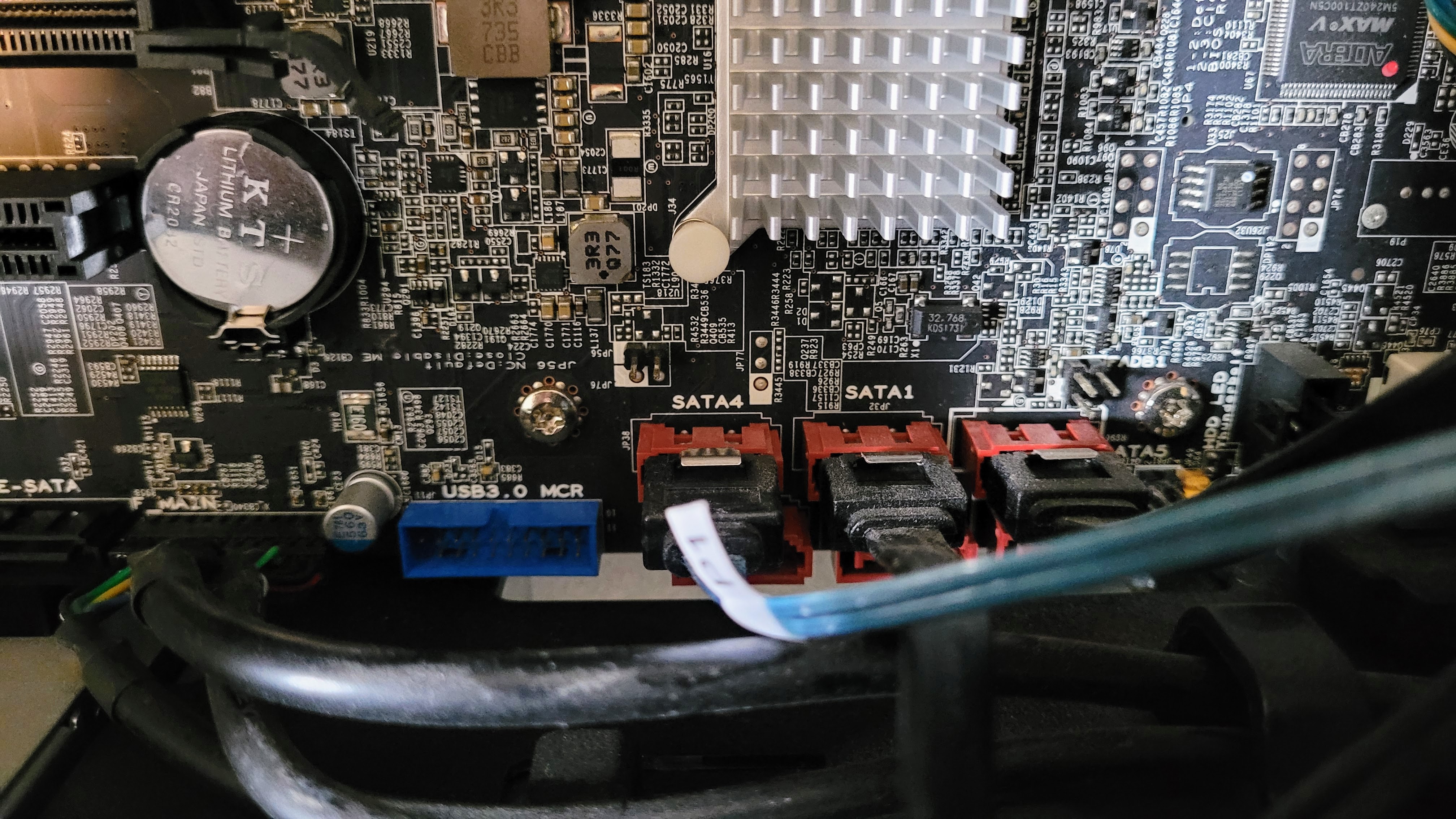
And just to rule out a failure of the SATA 1 channel, I moved the boot drive to the SATA 2 connection. When I booted up a few minutes later, I changed the BIOS to look for SATA 2 before trying to boot from USB, but the system still did not find the boot drive. Based on this behavior, I think it is safe to conclude the boot drive has failed. Time to get a replacement. I don’t need a 1 Tb drive for booting, so that will save me some money.
Replacement drive and cable
Since I’ve had good luck with the TeamGroup data drive, I ordered a TeamGroup drive for $35.99 to serve as the new boot drive:
TEAMGROUP T-Force Vulcan Z 512GB SLC Cache 3D NAND TLC 2.5 Inch SATA III Internal Solid State Drive SSD (R/W Speed up to 530/470 MB/s) T253TZ512G0C101 (affiliate link)
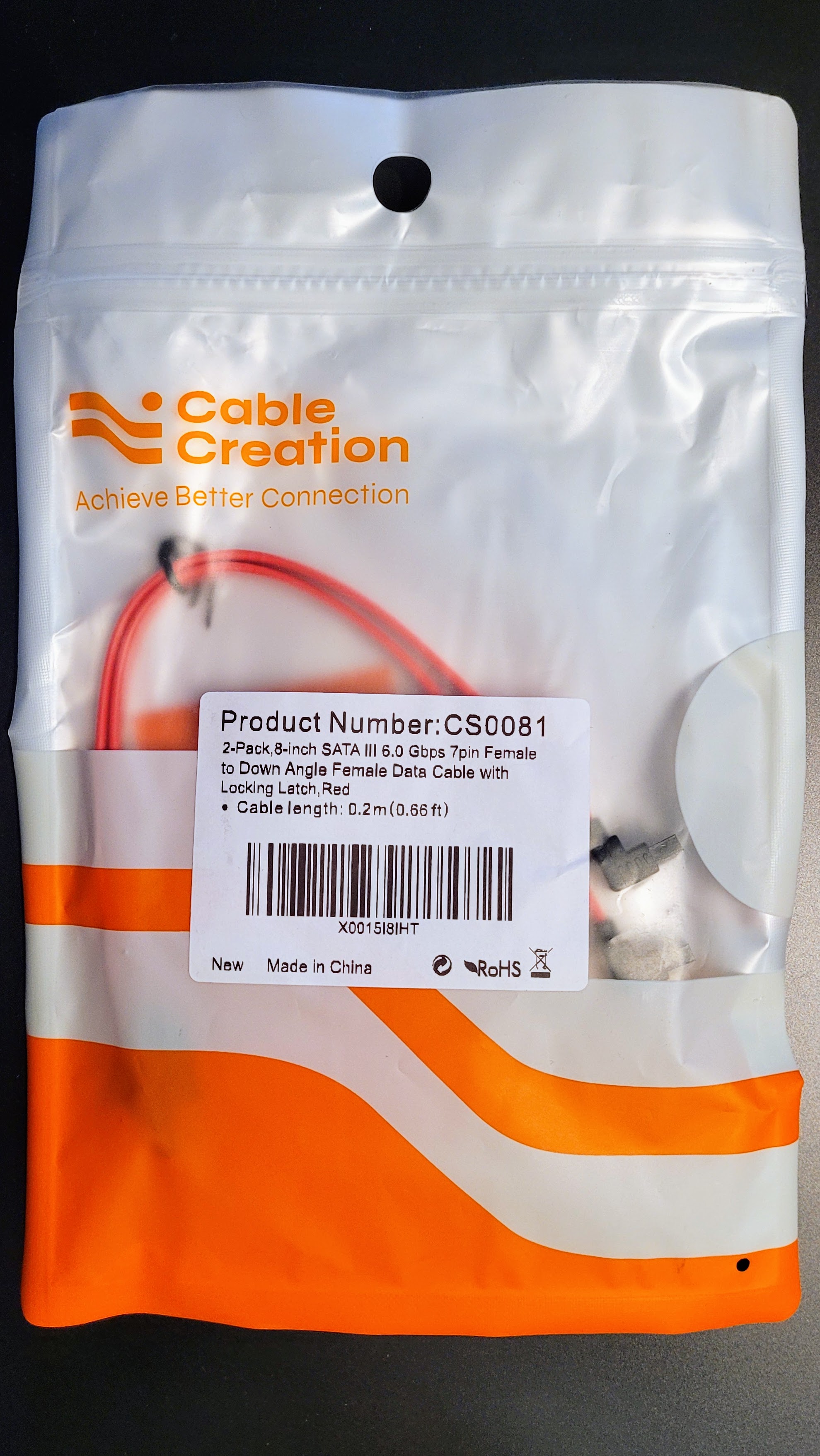
And as long as I’m inside the machine, I’ll also replace the SATA cable for the boot drive:
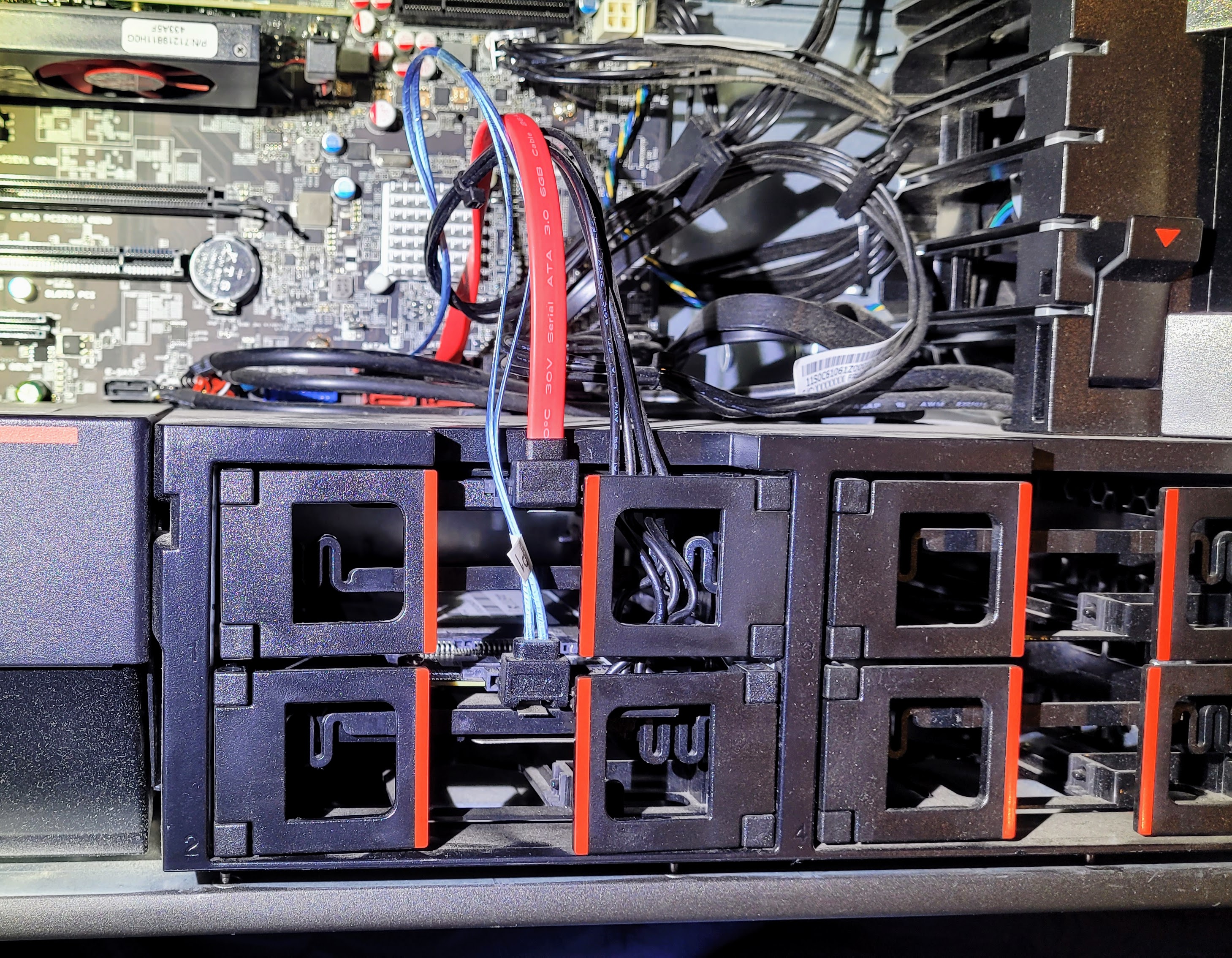
This computer requires cables with a right-angle connector on one end or the removable side panel won’t go back on. (I discovered that when I first installed the data drive and tried to use normal cables.)
New drive installed, Windows installed
Those items arrived overnight. It took about 30 minutes to get the new drive and cable installed. I moved the new boot drive back to the SATA 1 channel and replaced the old SATA cable (black) with a new one (red).
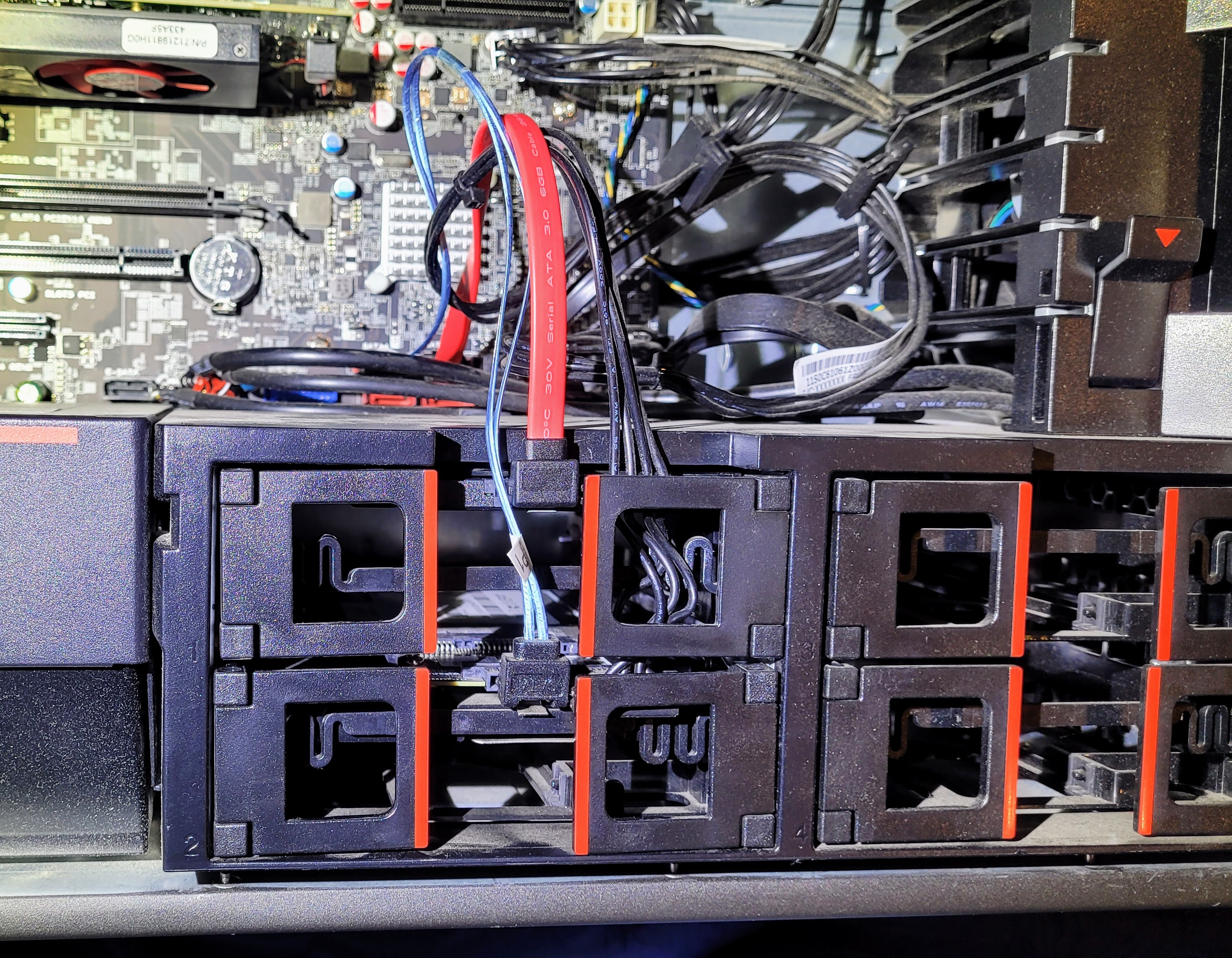
After closing up the machine and reconnecting the Ethernet cable, keyboard, mouse, monitor, and power, I booted up with a Windows USB recovery stick I had made the day before. From there, it was about 30 more minutes until the computer was running Windows 10 Pro.
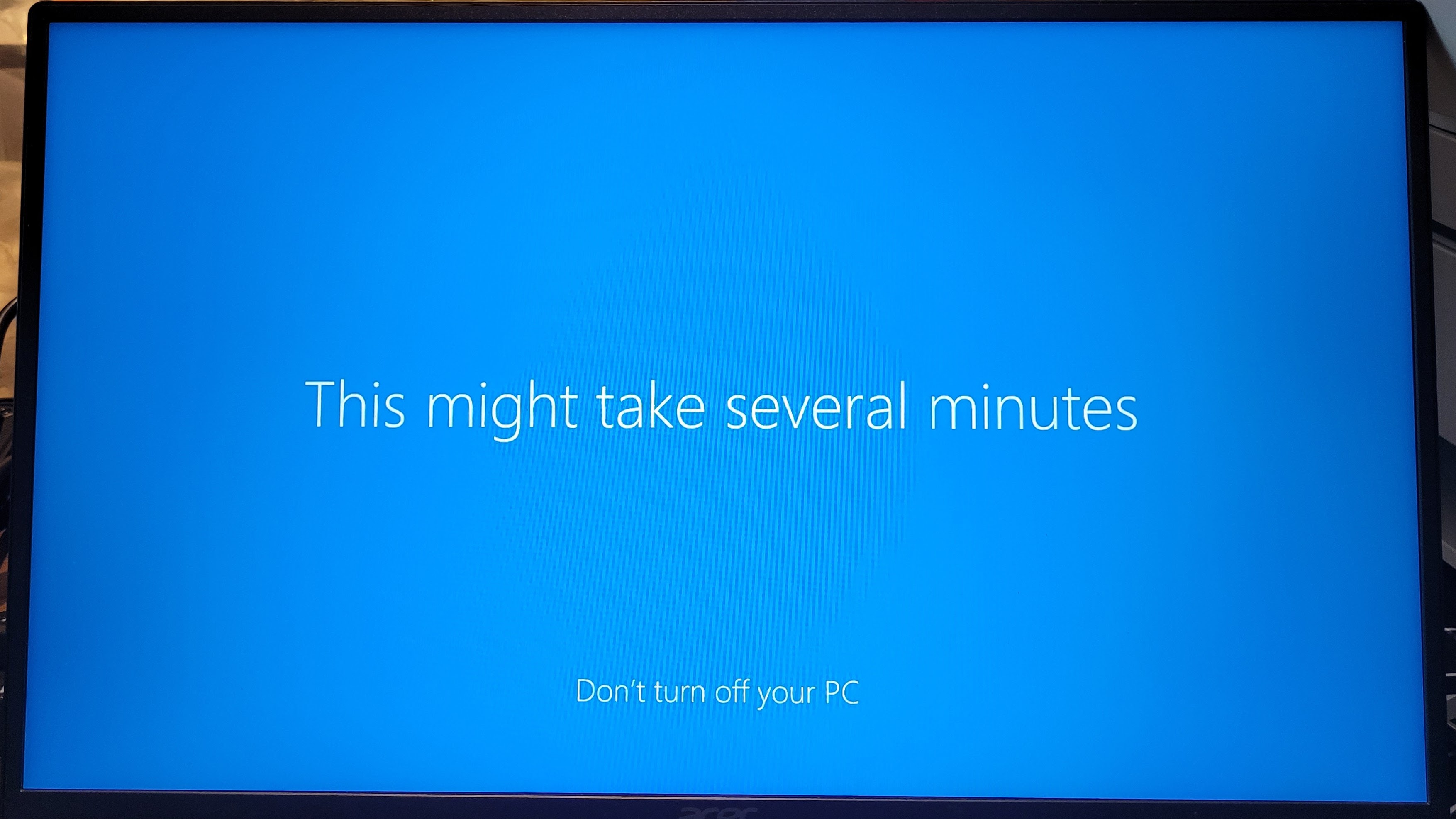
(I don’t know who at Microsoft thinks it is smart to overpromise and underdeliver, but “this might take several minutes” has been an understatement with every Windows install I’ve done. I know it’s a small thing, but I find the overpromising/underdelivering a little irritating. I’d rather know it could take 30 minutes so I can go get something else done.)
I did not have the old product activation key saved in my encrypted password file, so I bought a new Windows 10/11 Pro license from Microsoft. Interestingly, even though Windows 10 support ends this week, Microsoft still sold me the license for it. That seemed…odd. I suppose they justify it by labeling it as a 10 and 11 license. However, I was then offered free “extended security updates” until October 2026 (which I said yes to), so I didn’t exaclty buy a defunct operating system, just one that has a definite end-of-life.
Upgrading to Windows 11 does not look to be in the cards, because the ThinkStation does not have the Trusted Platform Module 2.0 required for Win 11. It turns out there is a firmware upgrade from TPM 1.2 to TPM 2.0 for the ThinkStation P510. It requires booting into an EFI shell. If that sounds mysterious and strange to you, it did to me, too. I had to find a spare USB stick, format it to FAT, create a /boot/efi folder on it, and copy Shell.efi into that folder, then boot the ThinkStation from the thumb drive. But…I couldn’t get that to work, so the platform stays at W10P for now. There are some ways to upgrade non-compliant machines to W11 but I’m not sure they would get future updates.
Probably, though, the most significant barrier is the Intel® Xeon® CPU. Although I love the power it provides, it does not qualify for Windows 11, so perhaps I’ll do more research on my Linux choices to convert the machine sometime in the next 12 months. I know Debian is a solid choice, and since I’m most comfortable with Debian compared to other distros, it’s likely Debian will be my choice. (See my notes below about Linux Mint Debian Edition.)
Why was recovering the server important?
There is a backstory to getting the server running again. A friend runs a nonprofit with a website that was due for renewal, but her web host jacked the price way up. She decided to drop the website and I said I’d make a backup of it so we could reproduce the content later. Well, I made the backup on my server. It turns out that the folder where I backed up her website was not part of my regular backups duplicated to my Synology NAS device. When my server died, so did my access to her files. I knew I could get to them by pulling the data drive, but resurrecting the boot drive was a better solution, if it worked. And it did. Back in business on recreating that website.
Other programs installed
I have my backup program (iDrive) installed, along with Tailscale. Remote access is enabled and the machine is now running headless, i.e., without a monitor. I’ve found the easiest way to do this is to fool the machine into thinking it has a monitor attached by attaching an HDMI dummy plug, and that’s what I did. Alternatively, you could consider a virtual display driver but I find the HDMI dummy plug works brilliantly. (And I just found a DisplayPort dummy plug that arrived in time for me to install it before Random Wire 153 goes to press.) As I write this, I’m remoted into the server from my laptop. I haven’t found a keyboard and mouse dummy plug so I keep a real keyboard with a built-in trackpad plugged into the server. That’s not ideal but it works.
I took a look at QEMU for running virtual machines but it is all command line stuff. While that doesn’t bother me, it just isn’t as easy as using a GUI. I installed my tried-and-true virtual machine system called VirtualBox and immediately created a virtual machine (VM) for MX Linux.
I’m looking at upping my firewall game, too. A product called Safing Firewall looks like it might give me the granularity I desire. It requires good knowledge of networking so I should be able to use it, and probably learn more, too. I may give it, or something like it, a try. I tried to look into SimpleWall (don’t Google it and hit the link because the most likely looking URL spawns a bunch of popups and “your computer is infected” notices) but that project has apparently been abandoned.
MacBook Air is finally here
Order update: your order is expected to arrive today! Yay! Except it was arriving at a depot halfway across the country. Such notices to customers could be a bit better, I think. Nevertheless, it did eventually arrive.
For a few moments, I thought about leaving macOS in place on this machine. However, the newest system available for this model of MacBook Air computer is macOS Monterey. This laptop is no longer receiving updates from Apple so the security of the platform becomes more tenuous. The newest OS is macOS Tahoe and it is not available for the age/model of this laptop. This makes the decision about converting it to Linux easier. Now…which Linux flavor should I pick?
I tried Linux Mint Debian Edition (LMDE).
LMDE aims to be as similar as possible to Linux Mint, but without using Ubuntu. The package base is provided by Debian instead.
Everything worked except wifi, and that was easily solved but sticking a small wifi dongle into one of the USB ports. Being Debian, I found the interface to be clean and familiar. I also tried Zorin OS, first the free edition and then Zorin OS 18 Pro. It was a pretty nice experience. Just like with LMDE, everything worked except wifi. I did try to install the necessary Broadcom driver for the wifi card inside the MacBook Air but that didn’t work. That’s not really a problem since the USB dongle is working just fine.
I thought I would go with LMDE but I’ve really liked what I’ve seen in Zorin, so I wiped the MacBook Air drive and installed Zorin OS 18 Pro. Before I did this, I created a bootable USB drive with macOS Monterey on it, just in case I want to go back to the Apple ecosystem.
What’s the difference? LMDE is based on Debian and Debian is a rather conservative, stable distribution. Zorin is based on Ubuntu LTS (long-term support) which may not be quite as conservative as Debian, but it doesn’t really feel like there is all that much difference, at least at the end-user level. I appreciate the extra work the Zorin team has done to create several desktop environment choices. I also liked that during the install, I could configure things like my GMail account and Microsoft 365 account. That gave me confidence that Zorin is a good choice. Time will tell.
Zorin also offers a list of alternatives to Windows applications, and I see that many of those options are already included in Zorin OS Pro.
New Meshtastic device: Wio Tracker L1 Pro
Compared to the devices I reviewed a year ago, the seeed studio Wio Tracker L1 Pro shows that Meshtastic implementations are maturing. For $42.90, you get a Meshtastic node with a nylon 3D-printed case, OLED display, GPS built in, and a 2,000 mAh battery that can power the device for up to five days.
The Wio Tracker L1 Series is a low-power, scalable Meshtastic node featuring LoRa (862–930 MHz), an nRF52840 for efficient processing, and an L76K GPS for precise location tracking. The L1 Pro version is a fully integrated, ready-to-deploy solution featuring an OLED display, rechargeable battery, and durable 3D-printed enclosure. Built for field use with no assembly required.
At only $42.90, this is a great value. I’ve spent twice that for half as much, so this is an exciting option. I am testing one now and so far, I’m impressed. There are some informative comments in a Reddit thread about this device, too. Here’s an introduction to the Wio Tracker L1 Pro, or try this longer review of the device.
The battery is hanging in there. I took it off the charger 24 hours ago and it is still running, showing 86% charge remaining. That alone is pretty amazing.
The short name of my device is RWR4. It is operating as a tracker in the Olympia-Tacoma, Washington area.
Other projects
Four States QRP Group Cootie Key
I’ve had the Cootie Key kit sitting off to the side of my desk for a few weeks, just waiting for some uninterrupted time to work on it. There is a nice assembly manual available in PDF, and also a gallery of photos.
Joplin ARC launcher
This arrived several weeks ago, and just like the Cootie Key kit, I’m waiting for another window of time to finish the soldering. The PVC parts are assembled but I got stuck on the wiring, so I need to revisit that part of the build. This is their “Mark 2” model, with construction guidance available in a PDF.
Kenwood TS-50S
A few months ago, I bought a well-loved Kenwood TS-50S transceiver, thinking I’d build a simple POTA kit to squeeze under the rear seat in the pickup truck. It came with two tuners, two SWR bridges, and a few more duplicated items. I need to test everything and give back the pieces of duplicate equipment I don’t need. The RigPix photo of this transceiver shows how simple it is. When I’m in the field, I prefer simple.
The TS-50S is a 10-160M + WARC bands radio. When using this radio, I do miss having 6 meters. My Yaesu FT-450D transceiver includes 6 meters so I’ve been defaulting to the FT-450D.
Closing
Most of this newsletter was written from a hospital room. My wife of 48 years suffered another substantial brain bleed this week, bigger than the last one. This one was longer, wider, and deeper than the last, affecting a larger portion of her brain.
(The view from her room is absolutely spectacular, with the Tacoma Dome in the foreground and Mt. Rainier on the horizon, reigning over the landscape.)

We’re now talking about palliative care. This is a difficult time for our entire family. On top of the emotional aspect of this situation, the medical bills are absolutely mind boggling. I mentioned that a few days ago to a few friends and they surprised me by creating a GoFundMe page. This is entirely unexpected. I’m honored, humbled, and a little bit shocked.

The photo of us at the campfire was taken in 2024 on a road trip to Wichita, Kansas.
I am privileged to have so many great friends. I am also blessed with great amateur radio friends who I interact with, and learn from. Working on radio and technology topics and talking with like-minded people keeps my brain occupied instead of dwelling on unsolvable/untenable situations. I am grateful for radio in any color, shape, size, and flavor.
With that I’ll close the channel and say 73 to all. Remember to touch a radio every day!



Leave a Reply